
What is Codex?
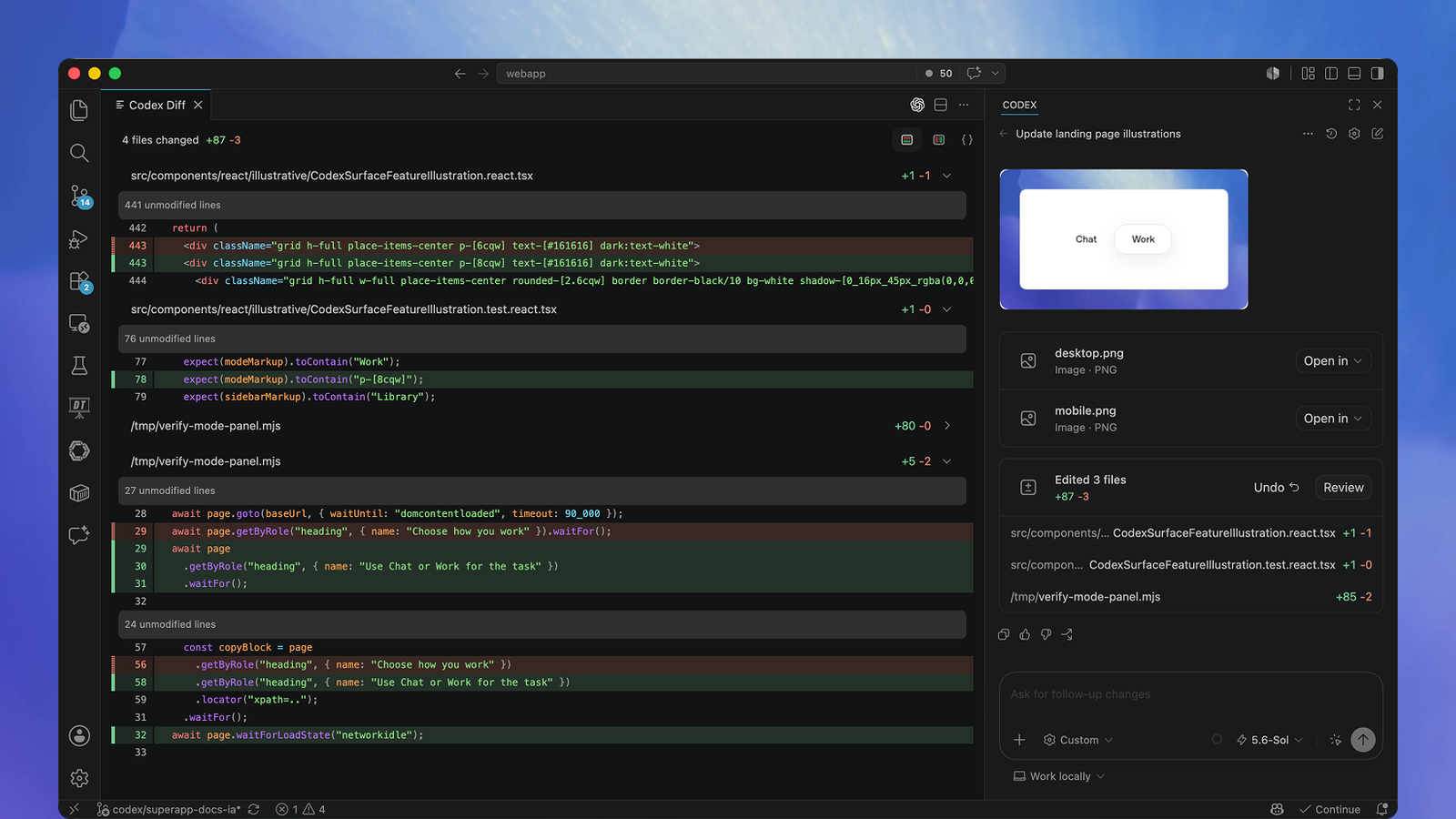
Codex is OpenAI’s coding agent for working in an existing codebase. Give it a bug report or feature request and it can inspect the relevant files, make edits, and run the project’s checks. In supported editors, you can include open files or selected code in a prompt and review the resulting diff beside your source. With an eligible plan, you can delegate longer tasks to isolated cloud workspaces and return to inspect the changes and results.
What can Codex do?
Repository-aware editing
Codex can inspect project files, modify code across files, and run tests, linters, and type checks.
Editor context and diffs
Reference open files or selected code in the IDE and inspect the resulting edits alongside the source.
Parallel cloud tasks
Run tasks in separate cloud workspaces. Reuse an environment configured with your repository and tooling.
GitHub pull request review
Enable automatic reviews on eligible plans so Codex can flag issues on pull requests.
How to get started
- 1
Pick a client
Open Codex in the ChatGPT desktop app, or choose the CLI, IDE extension, or web client if your plan includes it.
- 2
Sign in and open a project
Sign in with your ChatGPT account and open a project or connect a repository through your chosen client.
- 3
Assign a focused task
Ask Codex to explain a module or make a small change. If it edits files, inspect the diff and any test results.
Who is Codex for?
Fix a failing test
Give Codex the failing test and error output, then inspect the proposed fix and the tests it reran.
Trace unfamiliar code
Ask Codex where a request is validated, which functions handle it, and which files define its behavior.
Prepare a refactor for review
Delegate a focused change in a shared repository and review the diff and check results before opening a pull request.
How much is Codex?
View official pricingChatGPT Free
Freemonth
Limited Codex access for quick coding tasks.
Desktop availability is subject to rollout.
ChatGPT Go
$8.00month
Limited Codex access for lightweight coding tasks.
Desktop availability is subject to rollout.
ChatGPT Plus
$20.00month
Expanded Codex usage with CLI and IDE access. Eligible accounts can use Codex Cloud and automatic code review.
ChatGPT Pro
$100.00month
Higher usage tiers for longer or more frequent coding sessions.
Starts at $100 per month. Higher tiers cost $200 or $500 per month.
ChatGPT Business (annual billing)
$20.00user per month
A shared workspace with Codex access and administrative controls.
Billed annually with a minimum of two users.
ChatGPT Business (monthly billing)
$25.00user per month
A shared workspace with Codex access and administrative controls.
Billed monthly.
ChatGPT Enterprise and Edu
See pricing
Organization-wide access with enterprise access controls, audit logs, and usage monitoring.
Contact sales for pricing.
Checked 11/23/2026 · Prices shown are in USD. Codex is included in ChatGPT plans, with access and usage varying by plan, model, and task. Eligible users can extend usage with credits. API-key sessions are billed separately at API rates.
Frequently Asked Questions
Can I use Codex Cloud on a free plan?
Cloud access is available to eligible Plus, Pro, Business, Enterprise, Healthcare, and Education accounts, subject to rollout and workspace settings. Free and Go include limited Codex access without Codex Cloud.
How fast will I reach my usage limit?
Usage varies with the model, task complexity, context, and whether work runs locally or in the cloud. Your usage dashboard shows the active allowance and reset timing.
Can Codex verify a code change after editing it?
Codex can run your repository’s tests, linters, or type checks to verify the changes it makes.
Can I show Codex exactly which part of a file I mean?
In the IDE, reference an open file or selected code as context for the task. You can then review the resulting diff alongside the source.
Can Codex work on more than one task at a time?
Codex Cloud can run tasks in separate workspaces. Each task can use an environment configured with your repository and tooling.
Looking for something else?
Explore tools similar to Codex.
More AI Code Assistant tools
View allNo other tools are listed in this category yet.