
What is Leonardo.Ai?
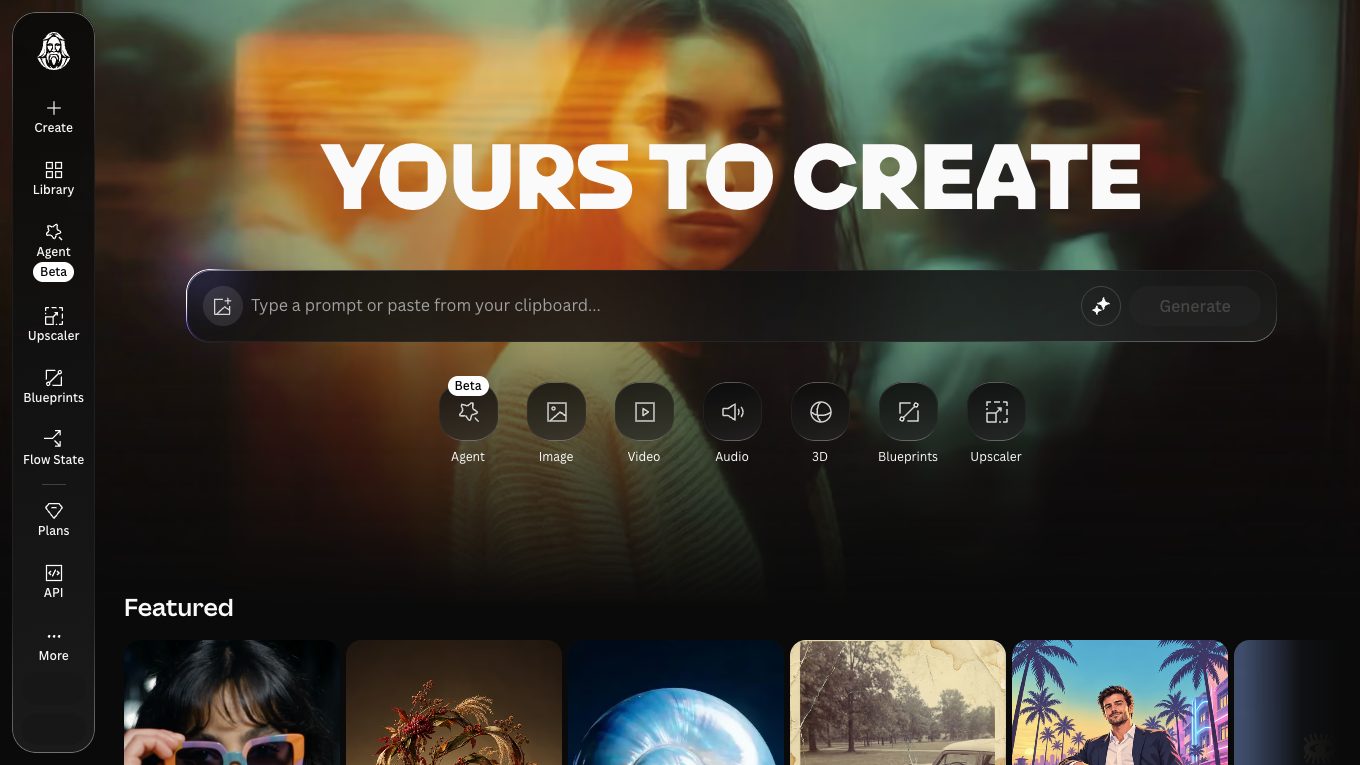
Leonardo.Ai lets designers, marketers, and video creators generate images, refine them with text instructions, and animate selected stills in the same workspace. Start with a prompt or upload a reference to guide the look or composition. Use automatic model selection, or choose from Leonardo and third-party models on a paid plan. Flow State helps you compare visual directions from a single prompt, while Blueprints provide presets for workflows such as creating a product spin video.
What can Leonardo.Ai do?
Image generation with references
Generate images from text and use uploaded references to guide composition or style.
Prompt-based image editing
Describe changes to an uploaded or generated image, such as replacing an object or changing the lighting. Upscale the result before downloading it.
Text-to-video and image-to-video
Create short clips from a prompt or use a still image as the opening frame. Supported models also accept end frames.
Flow State
Generate a range of interpretations from one prompt and explore more variations of a result you like.
Blueprints
Start with a preset workflow for tasks such as removing objects, relighting a photo, or making a product spin video.
How to get started
- 1
Open the Leonardo web app
Sign in and find the prompt bar on the home page.
- 2
Generate a first image
Describe the subject, setting, and visual style, then select Generate. Auto selects a model for your prompt.
- 3
Refine or animate the result
Use the result as a reference for a prompt-based edit, upscale it, or select Generate Video to use it as the first frame of a clip.
Who is Leonardo.Ai for?
Campaign creative
Explore several settings and lighting treatments for a product image, then animate a selected version for a short social ad.
Concept art and storyboards
Compare character, environment, and composition options before committing to a look for a game or video project.
Product photo updates
Remove distracting objects, try a new background, or create a higher-resolution version of an existing product photo.
How much is Leonardo.Ai?
View official pricingFree
Freemonth
Includes 150 Fast Tokens per day, automatic model selection, and public generations.
Essential
See pricingmonth or year
Includes 8,500 Fast Tokens per month, manual model selection, private generation, and capped token rollover.
Premium
See pricingmonth or year
Includes 25,000 Fast Tokens per month, private generation, and lower-priority image generation on selected models after the token balance runs out.
Ultimate
See pricingmonth or year
Includes 60,000 Fast Tokens per month, private generation, and lower-priority image and video generation on selected models after the token balance runs out.
Checked 11/23/2026 · The Free plan includes 150 Fast Tokens per day. Paid solo plans offer monthly and annual billing, with tax excluded from displayed prices. The public web pricing page uses the $ symbol without specifying the currency code.
Frequently Asked Questions
Can I use generated images commercially?
Leonardo permits commercial use under its terms, including for free users. Free users receive a nonexclusive license. Paid users can create privately, while public images can be used by others through platform features. [Commercial usage guide](https://intercom.help/leonardo-ai/en/articles/8044018-commercial-usage)
How many images or videos can I make with my tokens?
The cost varies by model, settings, and action. The generation interface shows the token cost before you submit. [Image generation guide](https://intercom.help/leonardo-ai/en/articles/8942360-how-to-generate-images-with-leonardo-ai)
Can I guide a text-to-image result with a reference photo?
Yes. Upload a reference image to guide composition or style, then describe the image you want to generate.
How do I explore several ideas from one prompt?
Use Flow State to see different interpretations of the same prompt, then explore more variations of an image you like.
Can I animate an image into a video?
Use a still image as the opening frame for image-to-video generation. Supported models can also accept an end frame.
Looking for something else?
Explore tools similar to Leonardo.Ai.
More AI Image Generator tools
View allKling AI
Generate video from text or images, direct multi-shot scenes, and edit footage with prompts.
Midjourney
Generate images from prompts, refine them in a browser, and turn stills into video.
Recraft
Generate and edit raster images, scalable vectors, and product mockups on one design canvas.
Higgsfield
Generate AI images and videos with camera controls, reusable characters, and tools for product ads.
Qwen
Comprehensive AI platform for chat, vision, generation, and reasoning.