

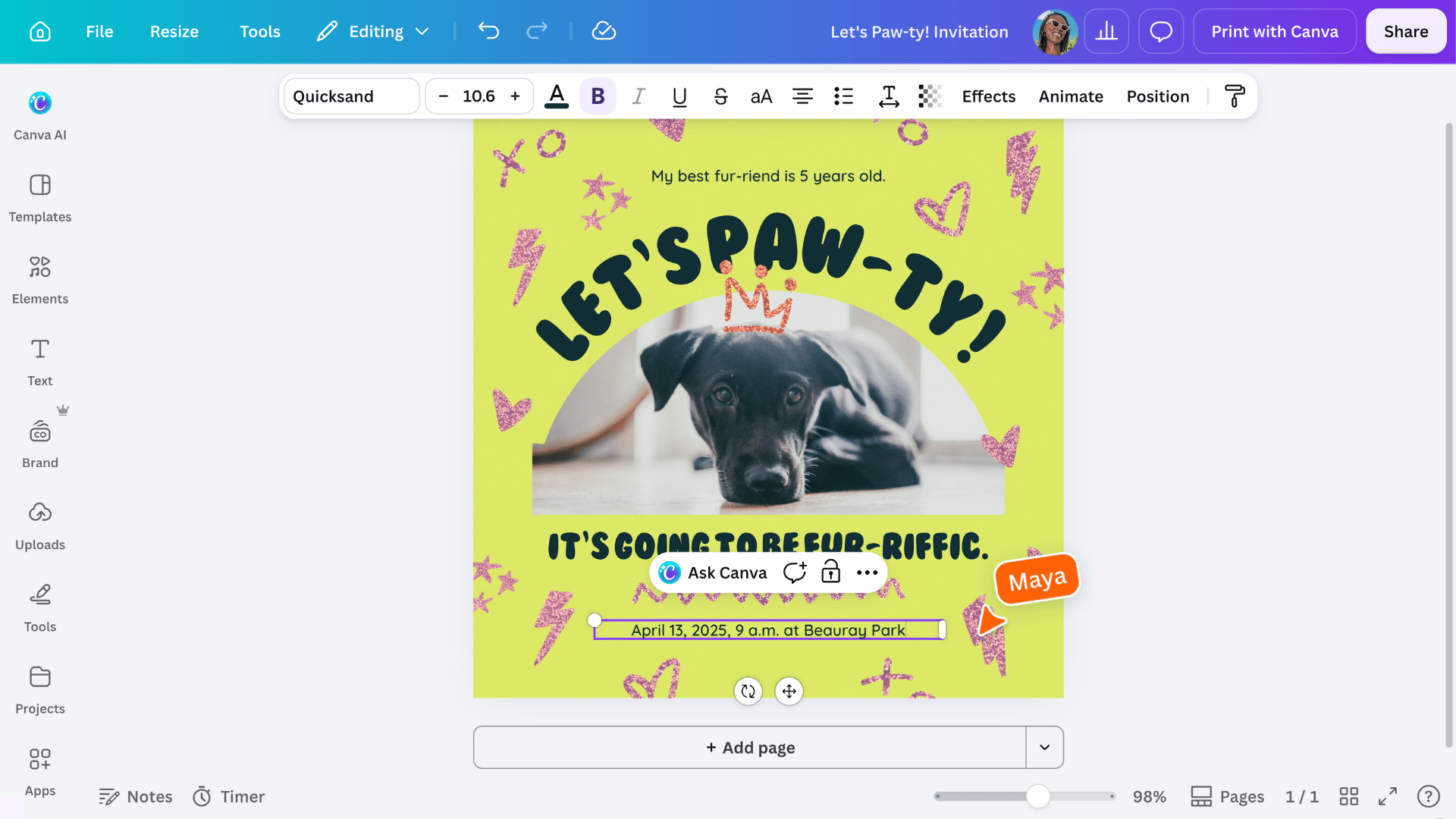
What is Canva?
Canva is a visual design platform for creating presentations, social graphics, videos, documents, whiteboards, websites, and print materials. Start with a template or a blank canvas, then edit the layout, add stock media, or upload your own assets. Canva AI can draft editable designs and presentations from a prompt and help refine them inside the editor. You can share a design with view, comment, or edit access, or download it in a format that suits the project.
What can Canva do?
Templates and drag-and-drop editing
Customize layouts, fonts, colors, and images with your own uploads or Canva’s library of photos, graphics, video, and audio.
Design and presentation drafts from prompts
Describe a design in Canva AI and open the result in the editor. For presentations, you can also refine a proposed outline before generating slides when Canva provides one.
Resizing and background removal
Paid design tools let you resize assets for other formats or remove the background from a photo.
Brand Kits
Keep brand assets together for reuse across designs. Canva Free includes a kit for up to three colors, while paid plans expand the number of kits.
Sharing and export
Set link permissions for viewing, commenting, or editing, or download your design in a supported format such as PDF, JPG, or PNG.
How to get started
- 1
Choose a template
Search Canva for what you want to make, filter by design type, and open a template in the editor.
- 2
Customize the design
Replace the text, adjust fonts and colors, and add images from Elements or Uploads.
- 3
Share or download
Open the Share menu to set link permissions, download the design, or choose another option available for that format.
Who is Canva for?
Adapt a campaign for social media
Create a launch graphic, then adapt its layout for feed posts and stories.
Turn an outline into a slide deck
Draft slides from a brief, update the visuals and copy, then send a review link to colleagues.
Create event materials
Customize a matching invitation and poster, then share them digitally or prepare them for print.
How much is Canva?
View official pricingCanva Free
Free
Drag-and-drop editor, free templates and media, 5 GB of cloud storage, and limited access to Standard and Premium AI tools.
For one person.
Canva Pro
$18.00month
Premium templates and media, five Brand Kits, social scheduling, and a larger AI allowance.
For one person, billed monthly at the standard rate.
Canva Pro
$144.00year
Premium templates and media, five Brand Kits, social scheduling, and a larger AI allowance.
For one person, billed yearly.
Canva Business
$25.00month
Team administration, design approvals, 100 Brand Kits, and a higher AI allowance than Pro.
Per person, billed monthly at the standard rate.
Canva Business
$250.00year
Team administration, design approvals, 100 Brand Kits, and a higher AI allowance than Pro.
Per person, billed yearly.
Canva Enterprise
See pricing
Centralized management across teams, tiered approvals, single sign-on, and SCIM provisioning.
Contact Canva Sales for pricing.
Checked 11/23/2026 · Prices shown are standard U.S. rates in USD before applicable tax. Monthly promotions may be available to eligible customers. AI access and monthly allowances vary by plan.
Frequently Asked Questions
How does Canva’s AI allowance work?
Canva pools eligible AI tools under a monthly allowance that varies by plan. More advanced tools and complex tasks can use more of that allowance.
Can multiple people use one Canva Pro subscription?
Canva Pro is for one person. Canva Business is available to individuals and teams and includes team administration and approvals.
Can I create a presentation from a prompt?
Describe the presentation in Canva AI. If Canva offers an outline, refine it before generating slides, then open the result in the editor.
Can I share a design for comments without giving edit access?
Yes. Set the design link to allow commenting. Canva also offers separate viewing and editing permissions.
Can I remove the background from a photo in Canva?
Yes. Background removal is available as a paid design tool.
Looking for something else?
Explore tools similar to Canva.